The Real Work-From-Home Desk List (Skip the Gimmicks)
Published by the DEMON CHEST Editorial Team. Product links refer to our brand catalog; external research is identified separately. Authorship and sourcing policy.
Quick Answer
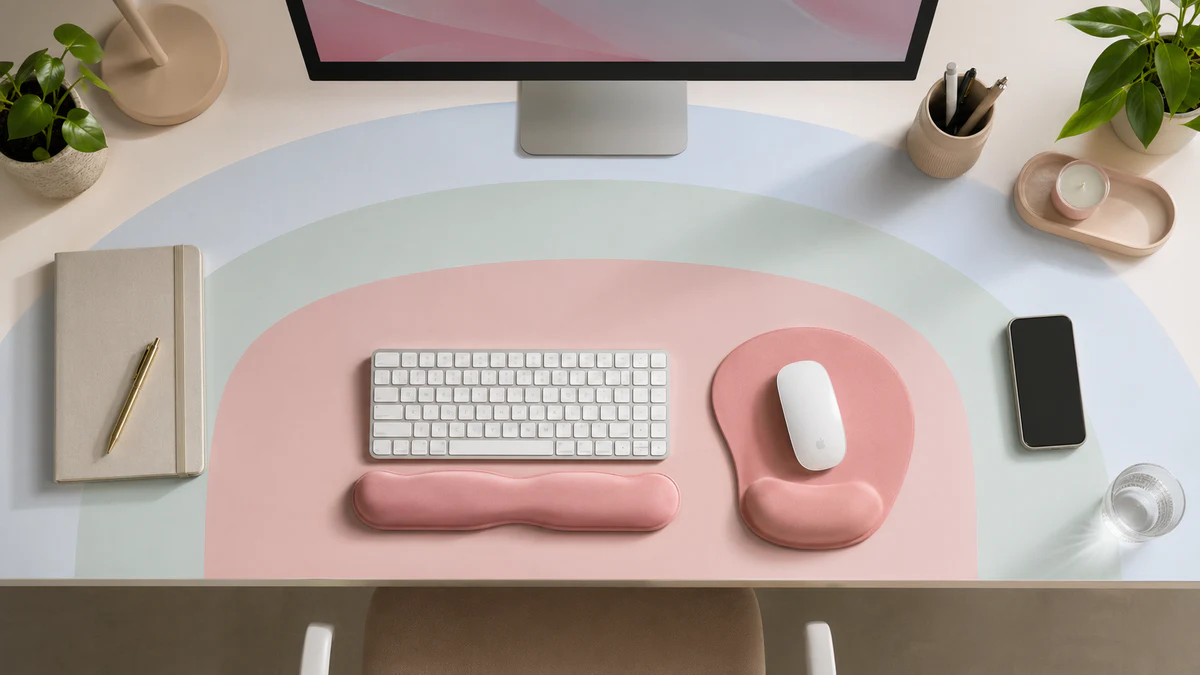
For a work from home desk, compare screen placement, mouse movement space, keyboard fit, lighting, and organization. A riser, mouse pad, rest, or holder may suit a particular task. No accessory list is a universal medical prevention plan.
The eight-item list
| Item | Product-fit question |
|---|---|
| Monitor riser or arm | Does it improve the viewing position? |
| Mouse pad | Does the surface and footprint suit the mouse movement? |
| Keyboard rest | Does its height fit the equipment without blocking movement? |
| Cable tray | Does it clear the working area? |
| Task lamp | Does it provide useful lighting without glare? |
| Standing mat | Does it suit the standing area and task? |
| Document holder | Is it useful for work involving paper? |
| Headset stand | Does it free needed desk space? |
These are practical fit questions, not measured ratings of pain relief or productivity.
The cubicle adjustment
If your home setup is more cubicle than dedicated room — a corner of a bedroom, a small desk in a shared apartment, a partition in an open-plan space — the priority list shifts. Cubicle accessories pulls roughly 15,000 monthly searches on Amazon, and the patterns from the responses are consistent: shoppers want neutral, quiet, space-respecting gear that doesn't draw attention.
Three adjustments for cubicle-style setups:
- Choose a neutral pad over a colored one. A Pink Serenity pad is great in a private home office and a distraction in a shared one. The cubicle accessories collection groups neutral colorways with quiet PU bases.
- Skip the standing mat. Anti-fatigue mats are loud (foot scuffs) and they take floor space neighbors notice. Stick with a sit-stand chair adjustment instead.
- Pick a non-slip base, not rubber feet. Cheap pads with four corner feet slide every time you lean on them. A full-contact PU base is silent and stays put.
For shared offices, check the base and footprint on the actual desk. Price alone does not establish whether an accessory will be comfortable.
Office supplies vs desk accessories — they're not the same
The two phrases get used interchangeably in search results, but they're not. "Office supplies" traditionally means consumables — pens, paper, notebooks, folders. "Desk accessories" means the semi-permanent stuff that shapes your work environment: organizers, holders, trays, mats, ergonomic supports.
For WFH, compare accessories with the actual equipment and tasks. A change in comfort does not establish injury prevention.
This piece is about the accessories. For pure consumable office supplies, buy cheap, buy in bulk, move on.
A $100 WFH kit
A realistic home office essentials budget for the top-priority items:
- Monitor riser (DIY or $15 acrylic riser): $0–$15. Books work. Don't let this stop you.
- Ergonomic gel mouse pad: $8–$12. The Classic Black or a colored variant like the Pink Serenity fits this bracket.
- Keyboard wrist rest or full set: $15–$25. A wrist rest set covers both hands and usually costs less than buying the pieces separately.
- Warm, indirect task lamp: $25–$40. Dimmable bulb, warm color, aim it at the wall behind the monitor — not at your face.
- Cable bundler (Velcro ties or a small tray): $5–$15.
Total: around $55–$100 for the load-bearing setup. The remaining three items (anti-fatigue mat, document holder, headset stand) are scenario-dependent — buy them only when you actually need them.
Color-matching without giving up function
A coordinated aesthetic can include practical accessories. Compare color with support shape, footprint, and freedom of movement rather than treating appearance as performance evidence.
DEMON CHEST's range was built specifically for this. The same gel ergonomic profile ships in a dozen-plus colors, so the pink mouse pad on a Pink Serenity desk supports the wrist identically to the black mouse pad on a minimal office setup. Real function, real aesthetics.
Curated color collections for the three most common aesthetics:
- Pink / warm: pink desk accessories — Pink Serenity, Sakura, Rose Quartz.
- Neutral / modern: aesthetic mouse pads — Sage Green, Cream, neutral palette.
- Dark / professional: best mouse pad for office work — Classic Black, Graphite, Onyx.
If you're building a women-first office aesthetic, the women's office collection covers pink, sage, lavender, and purple while keeping the same ergonomic gel profile as the Classic line.
Full catalog, filterable by color and series: mouse pads.
Setting up a women's home office without going overboard
Office accessories for women, desk essentials for women office, and office decor for women are three of the highest-volume persona queries in the category — pulling roughly 7,000 monthly searches between them. The fastest way to ruin the search is to assume "for women" means pink-on-pink everything. It doesn't. The data shows shoppers in this segment care more about cohesion than color.
A working framework:
- Pick one anchor color. Pink Serenity, Sage Harmony, or Lavender Haze. The mouse pad is usually the right anchor because it's visible and central. The women's office collection is filtered to exactly this palette.
- Match the keyboard wrist rest to the mouse pad. A complete wrist rest set in the same color anchors the desk visually.
- Skip the loud accessories. A pink stapler is a cliché; a pink mouse pad is a daily-use ergonomic tool that happens to be pink.
- Get one functional accent. A warm-toned task lamp, a small plant, a single framed photo. Three accents is the visual limit before a desk reads cluttered on video calls.
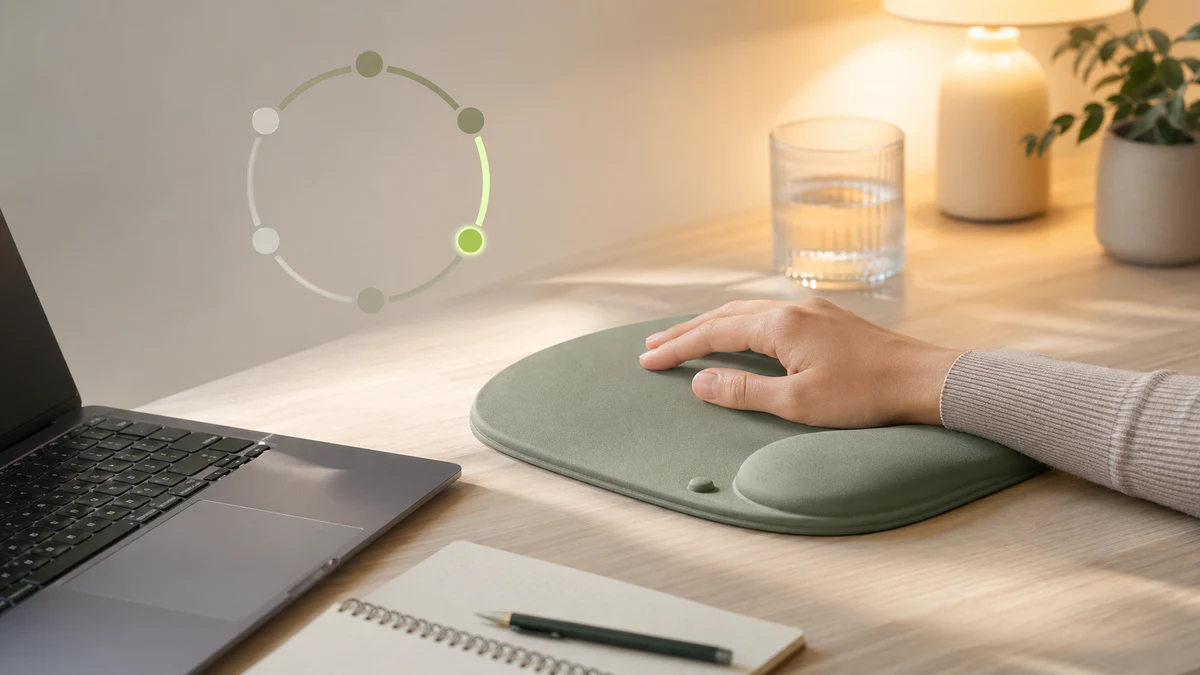
If you also want the floor and side decor to match, the pink desk accessories guide goes deeper on coordinating without spending a fortune.
What to skip — the desk-accessory gimmicks
Search any home office subreddit and you'll see the same five categories repeated forever: cable-management sleeves, RGB everything, dual-screen mounts before you own dual screens, "ergonomic" gadgets that don't actually have ergonomic geometry, and "office decor" objects that exist only to be photographed.
Three to skip with high confidence:
- Decorative-only "ergonomic" pads. If the pad doesn't list a wrist-rest height or a base material, it's a graphic on cloth. Buy a real ergonomic pad and add the graphic via a sticker or a printed mouse pad behind it.
- RGB mouse pads with no support. Light shows are fun for two weeks and then become noise. The wrist support has to outlive the novelty.
- "Aesthetic" desk organizers with no compartment plan. A pen cup full of pens you don't use is just a thing on the desk. Pick organizers by what you actually store, not by what photographs well.
For genuine aesthetic office supplies that also work, see the curated aesthetic mouse pad collection.
When to review each piece
Inspect accessories for visible damage, slipping, loose hardware, or a support shape that no longer fits. Follow the specific model's care and safety instructions; replacement needs depend on its condition and suitability.
Do not attribute new wrist fatigue automatically to a flattened rest. Persistent or worsening symptoms deserve individual assessment.
FAQ
What desk accessories are essential for work from home?
The four load-bearing essentials: monitor riser (neck), ergonomic mouse pad with wrist rest (wrist), keyboard wrist rest or full set (wrist, both hands), warm task lamp (eye strain). Everything else is quality-of-life. Combined cost under $100 at the entry tier.
Are aesthetic office supplies worth the premium?
Aesthetic office supplies are worth it only when they also do the ergonomic job — a pink mouse pad with proper gel wrist support is a win; a pink mouse pad that's just a thin decorative sheet is worse than a plain black one. Look for products where the aesthetic is the finish, not the product itself.
Can home office accessories prevent long-term wrist pain?
Prevention is not established for these products. Review equipment fit and seek clinical advice for persistent or worsening symptoms. See the RSI and carpal tunnel guide for scope and evidence limits.
What office desk accessories work in a small or shared workspace?
Three priorities: a neutral-colored ergonomic mouse pad (the cubicle accessories collection is built for this), a non-slip base so the pad doesn't slide when neighbors lean on the partition, and a small footprint so the desk doesn't read crowded on video calls. Skip anything that requires a power cable just for aesthetics.
Are there office must-haves for women that aren't pink?
Yes — the women's office aesthetic in 2026 is much broader than pink. Sage Harmony (calming, plant-friendly), Lavender Haze (warm neutral), and Rose Quartz (soft pink-adjacent) all show up consistently in the search data. The women's office collection groups all four palettes; the purple-lavender collection handles the violet axis on its own.
Related Articles
Editorial correction — 2026-10-07
This article now uses brand-team authorship. Unsupported personal credentials, clinical-review labels, first-hand testing claims, and outcome promises were removed or qualified where present. General product-fit advice is distinguished from research evidence. The original publication date is unchanged.