Mouse Pads with Wrist Support: A Practical Guide
Medically reviewed by Dr. Marcus Ng, DPT · Doctor of Physical Therapy (DPT), Certified Ergonomic Assessment Specialist (CEAS II), Member, Human Factors and Ergonomics Society
Last reviewed 2026-05-12 by Dr. Marcus Ng, DPT, CEAS II — Ergonomics Advisor. Author: Lena Park. Editorial methodology and affiliate disclosure: see How we research.
Quick Answer
A good mouse pad with wrist support does three things: keeps the wrist roughly neutral, puts consistent cushion under the palm, and stays put on the desk. For most office workers and programmers, a gel wrist rest pad in the $8–$15 range hits the sweet spot of comfort, durability, and price. The DEMON CHEST Classic Gel series is the one I recommend most often.
How this article is sourced
- Drafted by: Lena Park, based on a 200+ pad test rotation with a 30-day wear-in protocol (four daily checkpoints per pad).
- Reviewed by: Dr. Marcus Ng, DPT (CEAS II). Dr. Ng is paid a fixed editorial fee and holds no equity in DEMON CHEST.
- Reference frame: wrist-angle and contact-pressure targets follow the neutral-wrist envelope in ANSI/HFES 100-2007 and the OSHA Computer Workstations eTool.
- 2025 evidence refresh: the "What recent research says" section was updated against Santos et al.'s 2025 meta-analysis (24 RCTs) and the 2025 prevalence work in Scientific Reports. Full citations at the bottom.
- Affiliate transparency: Amazon links are affiliate links. The shortlist is fixed before any link is added; we don't run paid placements.
Why wrist support on a mouse pad matters
If you're at a computer more than four hours a day, your wrist position while mousing quietly decides how much RSI risk you're accumulating. A flat mouse pad bends the wrist upward — an unnatural angle that squeezes the carpal tunnel and slows circulation. Over weeks and months, that shows up as:
- Numbness or tingling in the fingers (the early carpal tunnel signal)
- Wrist pain that gets worse through the day
- Grip strength that feels off
- Inflammation that starts needing professional attention
A pad with built-in wrist support fixes this by lifting the palm to a more neutral position and spreading pressure across a wider contact area instead of a single point.
How to evaluate a mouse pad with wrist support
Five things matter, in roughly this order.
1. Support profile and wrist angle
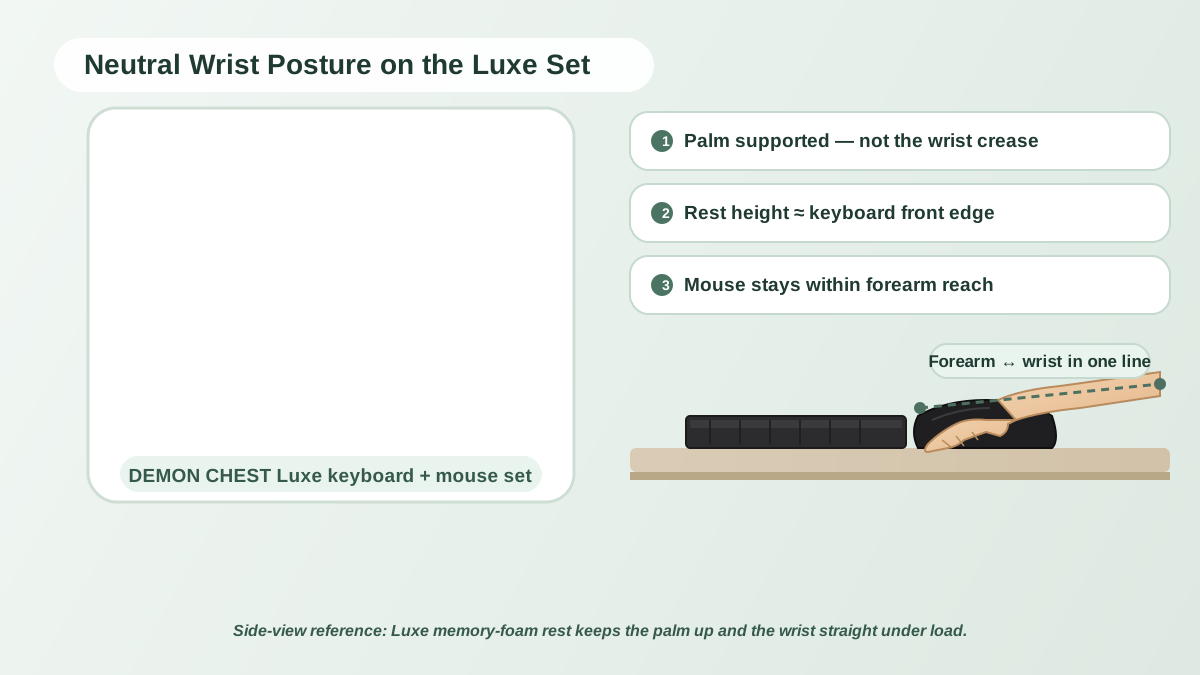
The one that matters most. The rest should leave your wrist in a neutral to slightly extended angle. A rest that's too tall forces excess extension, which is worse than no rest at all.
Quick check: put your hand on the mouse naturally. Forearm, wrist, and hand should form a roughly straight line. If the rest pushes your hand noticeably upward, it's too tall.
2. Cushion material
Two main options — gel and memory foam. Each has trade-offs.
| Factor | Gel | Memory foam |
|---|---|---|
| Temperature | Stays cool | Can trap heat |
| Firmness | Stays consistent | Softens with heat and use |
| Support precision | Even pressure distribution | Conforms to wrist shape |
| Longevity | Holds shape longer | May flatten sooner |
| Best fit | All-day office, warm rooms | Cold rooms, short sessions |
Longer read: gel vs memory foam.
3. Surface texture and tracking
The mouse area has to be smooth enough for precise tracking and grippy enough that the mouse doesn't slide around. Premium microfiber tends to hit that balance and works with both optical and laser mice across the full surface.
What to avoid: hard plastic surfaces (too slippery for most office mice) and ultra-rough fabric (creates drag that makes you over-grip the mouse).
4. Base grip
A pad that drifts defeats its own purpose — you'll unconsciously grip the mouse harder to compensate, which is exactly the tension pattern you're trying to avoid.
Look for:
- Natural rubber or full-contact PU base (best grip on most desk surfaces)
- Base that covers the whole bottom, not just the edges
- Works on your actual desk surface (glass and high-gloss finishes are harder)
5. Size and desk fit
Three general size categories:
| Size | Typical dimensions | Best for |
|---|---|---|
| Compact | ~9" × 8" | Laptop setups, tight desks |
| Standard | ~10" × 9" | Most office desks |
| Extended | 12" × 10"+ | Gaming, multi-monitor |
If you're using both a keyboard wrist rest and a mouse pad, measure first. A matching wrist rest set often saves space and looks cleaner.
What the 2025 research actually says
Two recent papers are worth knowing about — one is encouraging, one is the honest counterpoint.
The encouraging finding. Santos et al.'s 2025 meta-analysis in the Journal of Clinical Medicine pulled together 24 randomized controlled trials covering 4,086 workers. Across the upper limb, wrist pain showed the strongest improvement of any region when ergonomic interventions were added — pooled odds ratio 0.66 (95% CI 0.53 to 0.82), and notably with zero heterogeneity across the included trials. Forearm-support devices and alternative mouse designs were among the interventions that contributed to that signal. Translation: when the data is aggregated, ergonomic support around the mouse hand has the cleanest pain-reduction evidence of any upper-limb intervention reviewed.
The honest counterpoint. A 2014 study from Oxford (Asundi et al.) is still the one most often cited by skeptics, and the finding deserves to be said out loud: ergonomic mouse pads and vertical mice did alter wrist position in patients with carpal tunnel syndrome — but they did not measurably reduce internal carpal tunnel pressure in that study. The takeaway isn't that wrist rests don't help; it's that they help by changing posture and reducing contact pressure on soft tissue, not by directly decompressing the median nerve. For prevention, that's still a meaningful effect. For active, diagnosed carpal tunnel syndrome, it's a reminder that no pad replaces clinical evaluation.
The prevalence backdrop. A 2025 prevalence study in Scientific Reports (covering office workers across multiple sectors) put the headline rate of work-related musculoskeletal disorders at around 80%, with wrist and hand symptoms a meaningful share of that. Mean ROSA score 5.40 ± 1.27 — solidly in the "ergonomic intervention recommended" zone. Most office desks need some intervention; the question is which one.
Top picks by scenario
Best overall: ErgoComfort
The ErgoComfort series uses dual-density gel with more pronounced contouring. It's the one I recommend when someone's going to be at the desk 8+ hours a day.
- Price range: $9.99–$26.99
- Best for: programmers, designers, all-day office workers
Best value: Classic Gel
The Classic series is the most reviewed wrist rest pad in the lineup. Starting under $10, it delivers reliable gel cushioning across a wide color range.
- Price range: $7.99–$12.99
- Best for: budget-conscious buyers, first wrist rest
Best for minimalist setups: ErgoEase
The ErgoEase line has a compact profile that fits smaller desks without sacrificing support. Available in Sage Green, Misty Blue, and other contemporary colors.
- Price range: $9.99–$19.99
- Best for: remote workers, minimal aesthetics
Best premium: Luxe Leather
For workspaces where looks matter as much as comfort, the Luxe series pairs memory foam with cooling gel under a PU leather surface. It's the one I'd hand to someone whose desk shows up on video calls.
- Price range: $16.99–$19.99
- Best for: premium home offices, executive desks
Mistakes I see most often
- Choosing by color alone. A beautiful pad that doesn't align your wrist correctly causes more trouble than a plain one that does.
- Using a keyboard wrist rest as a mouse rest. Keyboard rests are designed for a wider, flatter contact area. Mouse rests need a more compact, contoured profile.
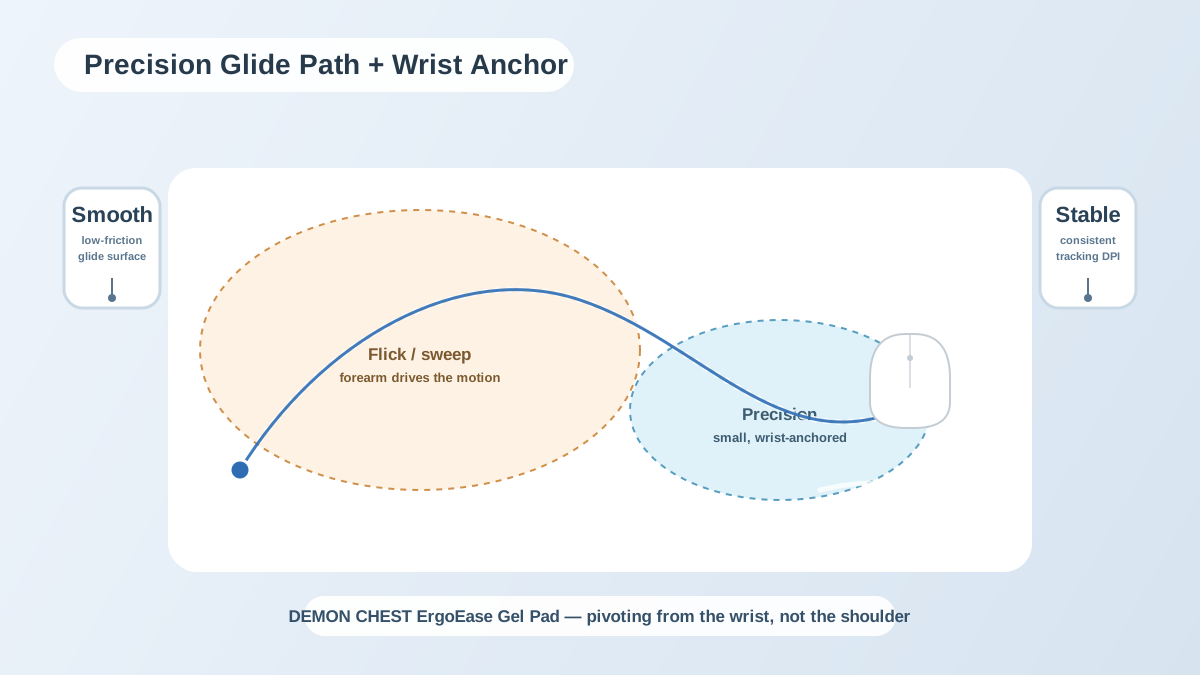
- Resting the wrist while actively mousing. The rest should support your wrist during pauses. While moving the mouse, your forearm should do the work, not your wrist.
- Ignoring base grip. A sliding pad creates micro-adjustments in grip pressure that add up to fatigue over hours.
- Treating the pad as the whole intervention. This is the 2014 Oxford finding in practical form — a pad that fixes posture but isn't paired with break cadence and a reasonable desk setup is doing maybe a third of the job.
Positioning the pad correctly
The product matters; so does where you put it.
- Place the pad so your elbow forms roughly a 90° angle when your hand rests on the mouse.
- Align the rest bump with the base of your palm, not your actual wrist joint.
- Keep the pad close to the keyboard so you're not reaching.
- Set desk height so your forearm is roughly parallel to the floor.
FAQ
Is gel or memory foam better for carpal tunnel?
Gel is usually the safer pick for carpal tunnel concerns — consistent support without additional heat. Memory foam conforms more closely but softens with body heat, which reduces support over long sessions. Deeper comparison: gel vs memory foam.
How long does a gel wrist rest mouse pad last?
A quality gel pad should hold its support profile for a year or more of daily use. The Classic and ErgoComfort lines are designed for this lifespan and backed by our 18-month replacement guarantee.
Can I wash my wrist rest mouse pad?
Spot-clean the microfiber surface with a damp cloth and mild soap. Don't submerge in water and skip harsh chemicals — both can damage the gel core and the non-slip base. Details: care guide.
Do wrist rest mouse pads work with gaming mice?
Yes. Quality microfiber surfaces work with both optical and laser sensors at any DPI. The consistent surface gives steady tracking — which matters more for gaming, not less.
What size mouse pad should I get?
For most office setups, a standard size (around 10" × 9") is enough for both tracking and wrist support. Gamers and users with big mouse movements want extended sizes. Measure your desk and decide if you also want a keyboard rest before choosing.
What changed in this update (2026-05-12)
- Added a "How this article is sourced" section, surfacing the methodology, the PT reviewer's credentials, and the affiliate-link disclosure.
- Folded in the 2025 evidence refresh: Santos et al. (24-RCT meta-analysis) and the 2025 Scientific Reports prevalence work.
- Added the Oxford 2014 counterpoint explicitly so readers know what wrist rests don't do (decompress the carpal tunnel directly).
- Added a fifth common mistake — treating the pad as the whole intervention rather than one piece of the setup.
References & further reading
- Santos W, Rojas C, Isidoro R, et al. Efficacy of Ergonomic Interventions on Work-Related Musculoskeletal Pain: A Systematic Review and Meta-Analysis. J Clin Med. 2025;14(9):3034. doi:10.3390/jcm14093034
- Asundi K, Odell D, Luce A, Dennerlein JT. A vertical mouse and ergonomic mouse pads alter wrist position but do not reduce carpal tunnel pressure in patients with carpal tunnel syndrome. Applied Ergonomics. 2014. PubMed 25479984
- Musculoskeletal disorders among office workers: prevalence, ergonomic risk factors, and their interrelationships. Scientific Reports. 2025. nature.com/articles/s41598-025-30155-6
- ANSI/HFES 100-2007 — Human Factors Engineering of Computer Workstations. (Source of the neutral-wrist envelope.)
- OSHA Computer Workstations eTool. osha.gov/etools/computer-workstations