RSI and Carpal Tunnel: A Plain-English Guide for People Working From Home
Published by the DEMON CHEST Editorial Team. Product links refer to our brand catalog; external research is identified separately. Authorship and sourcing policy.
Health information. This is general educational information, not a diagnosis or treatment plan. Seek professional advice for persistent or worsening pain, numbness, tingling, or weakness.
Quick Answer
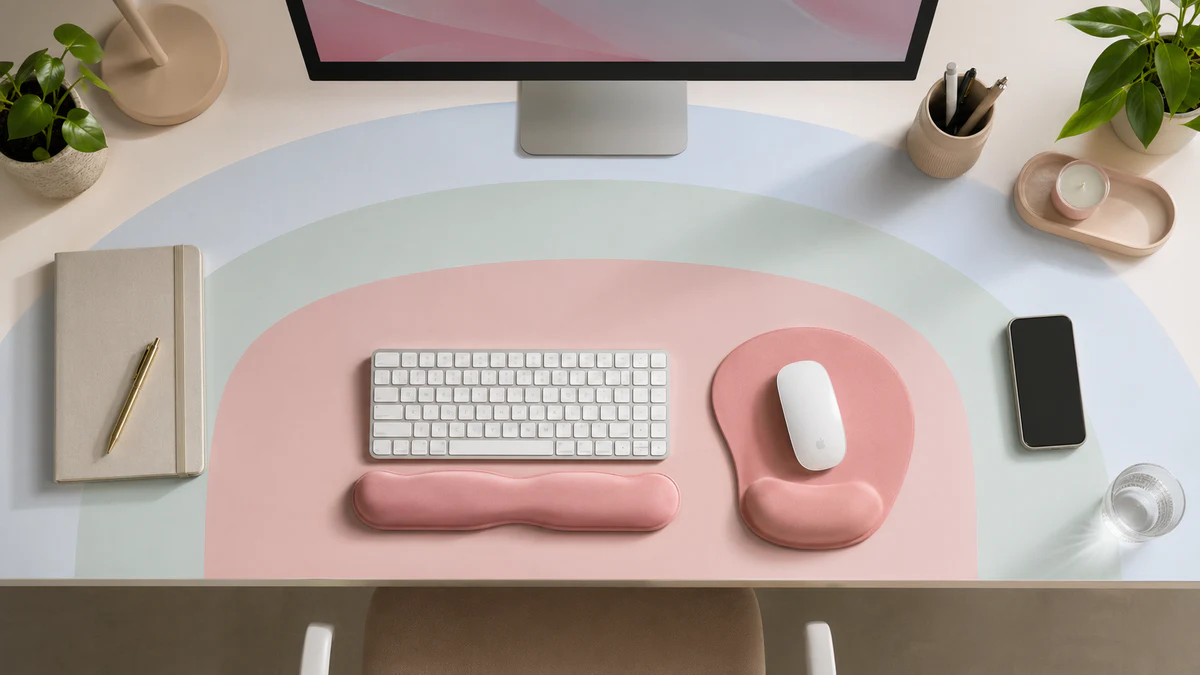
To review comfort at a home desk, start with keyboard and mouse placement, a comfortable hand position, and avoidable contact with hard edges. A mouse pad for carpal tunnel is a search term for a comfort accessory, not evidence that the pad prevents or treats carpal tunnel syndrome. A suitable pad can be one part of a workstation review; symptoms require their own assessment.
RSI and carpal tunnel are not interchangeable
Wrist or hand discomfort can have several causes. Carpal tunnel syndrome involves pressure on the median nerve at the wrist. Pain, tingling, numbness, or a weak grip can occur, sometimes at night. These symptoms are described in NHS guidance; their presence does not let a brand article diagnose the condition.
Remote work does not establish the cause of symptoms. Consider the actual workstation and tasks rather than attributing every problem to a mouse pad, keyboard, or work location.
A home-workstation checklist
- Equipment placement: bring frequently used items within comfortable reach.
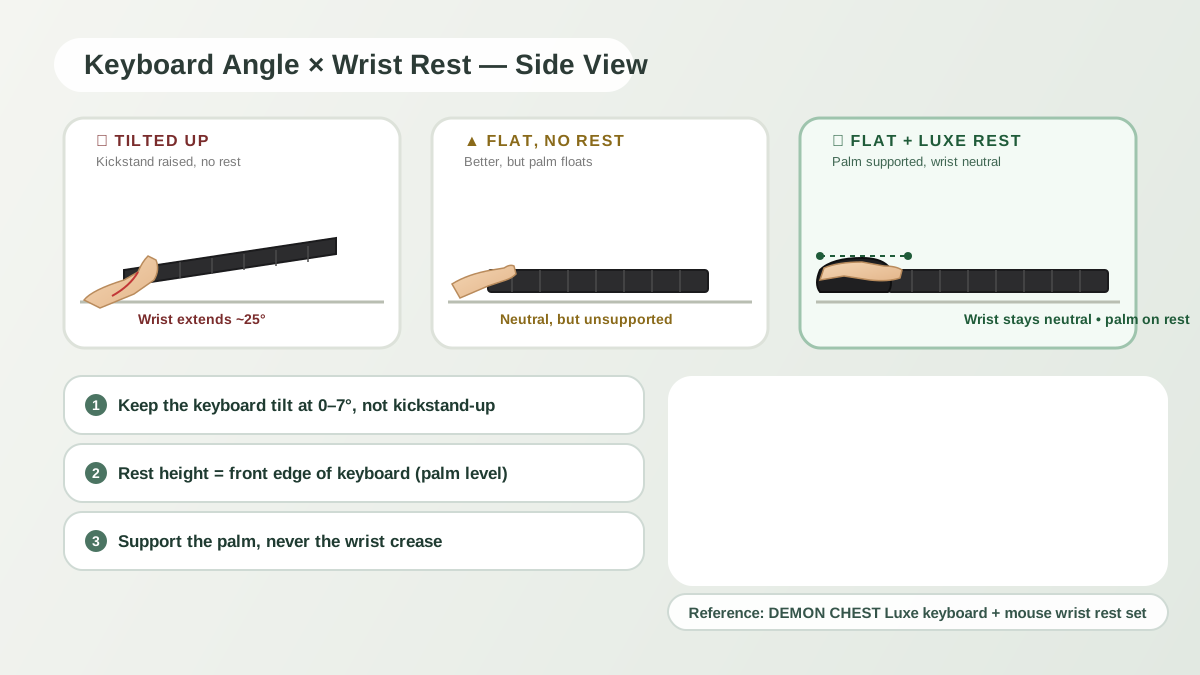
- Hand position: look for unnecessary sustained wrist bending and adjust the setup if needed.
- Contact points: avoid a sharp desk edge pressing into the hand or forearm.
- Movement: allow pauses and task changes that suit the work. There is no proven universal 25-minute schedule for RSI prevention.
- Product fit: if using a rest, check whether its height interferes with hand movement.
OSHA's workstation checklist is a useful starting point for evaluating equipment placement. These checks do not replace individualized advice.
Choosing a pad or rest
Compare footprint, support height, surface, and base grip. A flat pad, a separate palm rest, or an integrated rest may suit different movements. Gel and memory foam are product materials; neither establishes a medical recommendation.
The ErgoComfort Black pad and ErgoComfort Pink Serenity pad are brand catalog examples. Confirm their fit against your desk. A tendonitis mouse pad label likewise does not establish treatment benefit.
If you are already symptomatic, discuss equipment choices with a healthcare professional rather than assuming that a vertical mouse plus pad is required.
What the research can establish
Schmid and colleagues compared a conventional mouse, vertical mouse, gel pad, and gliding palm support in 21 people with carpal tunnel syndrome. Some devices changed wrist position, but none reduced carpal tunnel pressure in that study. This does not support presenting a gel pad as a treatment or a prevention guarantee. Read the study abstract.
The 2025 Cochrane review of work breaks describes very uncertain evidence for symptom outcomes. Break reminders can be practical workflow choices without being a validated clinical protocol.
When to seek help
Seek clinical advice when symptoms persist, worsen, disturb sleep, or affect gripping. Do not wait for a promised one- or two-week response to a mouse pad. A clinician can assess the cause and discuss appropriate care; a pad is not a substitute for a wrist splint or other treatment recommended for a diagnosed condition.
FAQ
Can a mouse pad prevent carpal tunnel syndrome?
Prevention has not been established for DEMON CHEST products. A suitable accessory may improve individual comfort, but that is different from preventing a condition.
Do I need a vertical mouse and wrist rest together?
There is no universal requirement. Choose equipment by fit and movement; ask a clinician about existing symptoms. A vertical mouse is not a diagnosis-specific solution by itself.
How long before a wrist rest improves symptoms?
There is no substantiated symptom-recovery timeline for these products. Persistent or worsening symptoms should be assessed independently of equipment changes.
References & further reading
- OSHA Computer Workstations eTool.
- NHS: Carpal tunnel syndrome.
- Schmid AB, Kubler PA, Johnston V, Coppieters MW. A vertical mouse and ergonomic mouse pads alter wrist position but do not reduce carpal tunnel pressure in patients with carpal tunnel syndrome. Applied Ergonomics. 2015;47:151–156. Published online October 3, 2014. PubMed 25479984.
- Cochrane: Work-break interventions, 2025.
- NIOSH: Workplace safety and health information.
Related Articles
- The Complete Ergonomic Desk Setup Guide
- Mouse Pad for Carpal Tunnel: Product Fit and Evidence
- Gel vs Memory Foam Wrist Rests
- Seven Wrist Comfort Habits
- Carpal Tunnel Support Collection
Editorial correction — 2026-10-07
This article now uses brand-team authorship. Unsupported personal credentials, clinical-review labels, first-hand testing claims, and outcome promises were removed or qualified where present. General product-fit advice is distinguished from research evidence. The original publication date is unchanged.