Portable Mouse Pad for Laptop Travel: Fit & Packing
Published by the DEMON CHEST Editorial Team. DEMON CHEST sells the products linked in this article. Product examples use our catalog; public workstation guidance is cited separately.

Quick Answer
A portable mouse pad for laptop travel should fit both your bag and the space your mouse needs. Measure the surface beside the laptop, check your normal cursor movements, and compare the exact model's footprint and support shape. Recheck the arrangement at each desk. For longer sessions, plan separate input devices and a suitable work surface: a small pad cannot compensate for a cramped workstation.
Key Takeaways
- Measure the space remaining after you position the laptop and any separate keyboard.
- Check usable mouse movement space as well as the pad's outer dimensions.
- Confirm handling instructions before folding or rolling a particular model.
- Review each temporary workstation; the pad is one part of the arrangement.
1. Measure the space you can actually use
Start with the laptop where you can comfortably see its display. Position any separate keyboard, then measure the clear width and depth available for the mouse. Include chargers, desk edges, and objects you will keep within reach. A table's total width tells you little about the remaining mouse space.
Keep that space near your working position. OSHA's workstation evaluation checklist places the mouse next to the keyboard, within easy reach. If a pad only fits at the far corner, reconsider the layout before choosing it.
Use these measurement checks:
- Record the clear area beside the laptop or keyboard.
- Compare it with the exact model's published footprint.
- Check where a raised rest sits within that footprint.
- Allow room for your usual mouse movements and cables.
- Repeat the check at your destination when the desk size is unknown.
For a repeated small-desk setup, the keyboard also matters. CCOHS's mouse-placement guidance explains that a shorter keyboard can make room beside it. Compare your own equipment before assuming a keyboard format frees a particular amount of space.
2. Check your usual mouse movement
Try a familiar task at your normal pointer settings: select text, move across a spreadsheet, or drag a window. Notice the area the mouse uses and whether you repeatedly lift it because you reach an edge.
This is a personal fit check. It gives you a useful reference for shopping, without establishing a standard pad size. If you change pointer settings, repeat the task and check that control still feels comfortable. Record the settings with your measurements so you can repeat the same comparison later.
Where possible, compare the pad's usable tracking area with your movement area. A raised cushion occupies part of a wrist-rest pad, so overall dimensions alone do not describe the space available to move the mouse.
3. Compare the format before the material
| Travel setup | What to check | Planning tradeoff |
|---|---|---|
| Flat mouse pad | Footprint, movement area, and handling instructions | Packing options depend on the model's construction |
| Pad with an integrated rest | Tracking area plus cushion placement and hand fit | A combined piece still needs enough movement space |
| Pad with a separate rest | Both footprints and their positions | Two pieces need room on the desk and in the bag |
Material descriptions are another comparison point. For example, the Classic Pink mouse pad, ASIN B075ZDRLGN, has catalog facts identifying gel mouse support, a Lycra fabric surface, and a non-slip base, attributed to its specific listing. Those facts do not provide its packing dimensions, weight, or folding instructions. Confirm those separately.
Use the wrist-rest buying guide for broader selection questions. The laptop collection and small and compact collection provide product starting points for this measuring process.
4. Make a packing plan
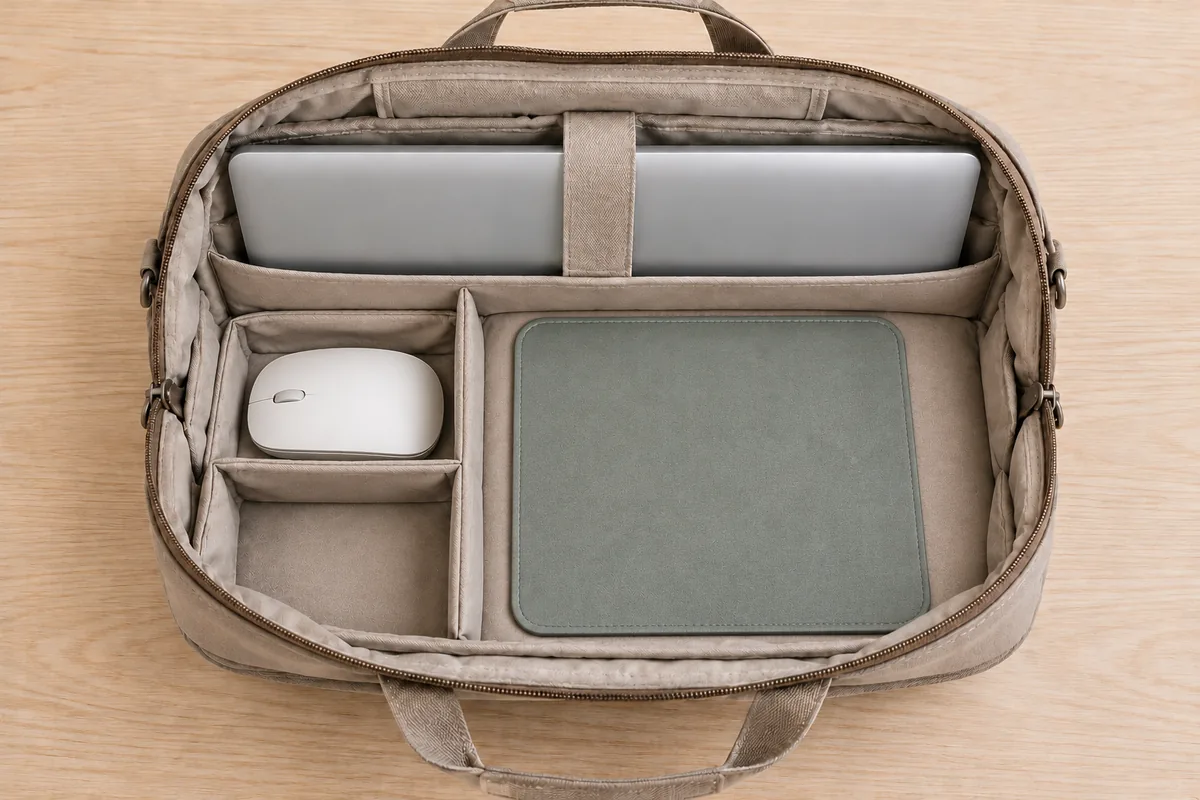
The following are editorial packing suggestions. Check the manufacturer's instructions for the particular pad before changing its shape or cleaning it.
- Check that a bag compartment accommodates the pad in its normal shape.
- If folding or rolling approval is unknown, plan space to carry it flat.
- Organize loose plugs and other accessories in a separate pocket.
- Keep bottles and other liquids separate from the pad.
- Before leaving, check that the packed arrangement lets you retrieve the pad without bending it unexpectedly.
At the destination, inspect the surface and base, then check how the pad sits on the available table. If its shape or condition makes the setup unsuitable, use a different arrangement. A compact label does not establish foldability, water resistance, or a tested travel lifespan.
5. Reassess the temporary workstation
Check the chair, table, screen, and input devices together. HSE's laptop setup guidance recommends a separate keyboard and mouse for prolonged laptop use, allowing the display to be raised. A hotel desk used for an afternoon deserves more planning than a brief check of your messages.
OSHA's evaluation checklist calls for a stable input-device surface with room for the equipment. For laptops used outside the office, including hotels or planes, it also advises regularly changing position and limiting laptop time. If the available surface cannot accommodate the arrangement, find a more suitable workspace or reconsider the task.
For support placement and contact points, follow our steps for using a mouse pad with wrist rest.
Who this approach fits
This checklist suits laptop users who take an external mouse to shared desks, hotels, or other temporary workspaces. It also helps people compare a travel purchase with their actual bag and equipment.
It is a poor match for choosing by appearance alone, assuming every airline tray fits a mouse, or expecting a pad to make an unsuitable work surface adequate. People needing broad mouse movements may find a larger workspace more practical than a smaller accessory.
FAQ
What size travel mouse pad should I choose?
Choose from the space your desk and mouse movements require. Compare the exact footprint and usable tracking area. This guide provides no universal minimum size.
Can I fold a mouse pad with a wrist rest?
Check the specific model's handling instructions. A gel or fabric description does not establish folding approval. Plan to carry it in its existing shape when that information is unavailable.
Will a compact pad fit an airline tray?
Measure the available tray area after placing the laptop, and check your movement space. Tray dimensions and arrangements vary; a collection label cannot guarantee fit.
Do I need a separate keyboard for laptop travel?
For prolonged laptop work, HSE recommends separate input devices so the screen position can be adjusted. Plan the whole setup around your task and available work surface.
How should I clean it before packing?
Follow the model's care instructions and check any drying requirement before packing. Do not infer that a filled or covered pad permits immersion, machine washing, or a particular cleaner.
Sources and Method
This guide uses the linked OSHA and CCOHS workstation pages and HSE's laptop guidance, checked on October 7, 2026. HSE's portable-computer leaflet, pages 3–4, provides further context on suitable work surfaces and changing activities.
The measuring and packing checklists are editorial planning suggestions. The product example comes from the named ASIN's recorded listing facts. Public guidance addresses workstation arrangements; it does not certify our products or establish packing durability. Illustrations are AI-generated concepts.
Once you have your measurements, compare the individual listings in our mouse pad collection.