Sage Green Desk Setup: 3 Layouts with Room for Your Mouse
Published by the DEMON CHEST Editorial Team. DEMON CHEST sells the products linked below. Styling suggestions are editorial preferences; workstation guidance is identified separately.
Quick Answer
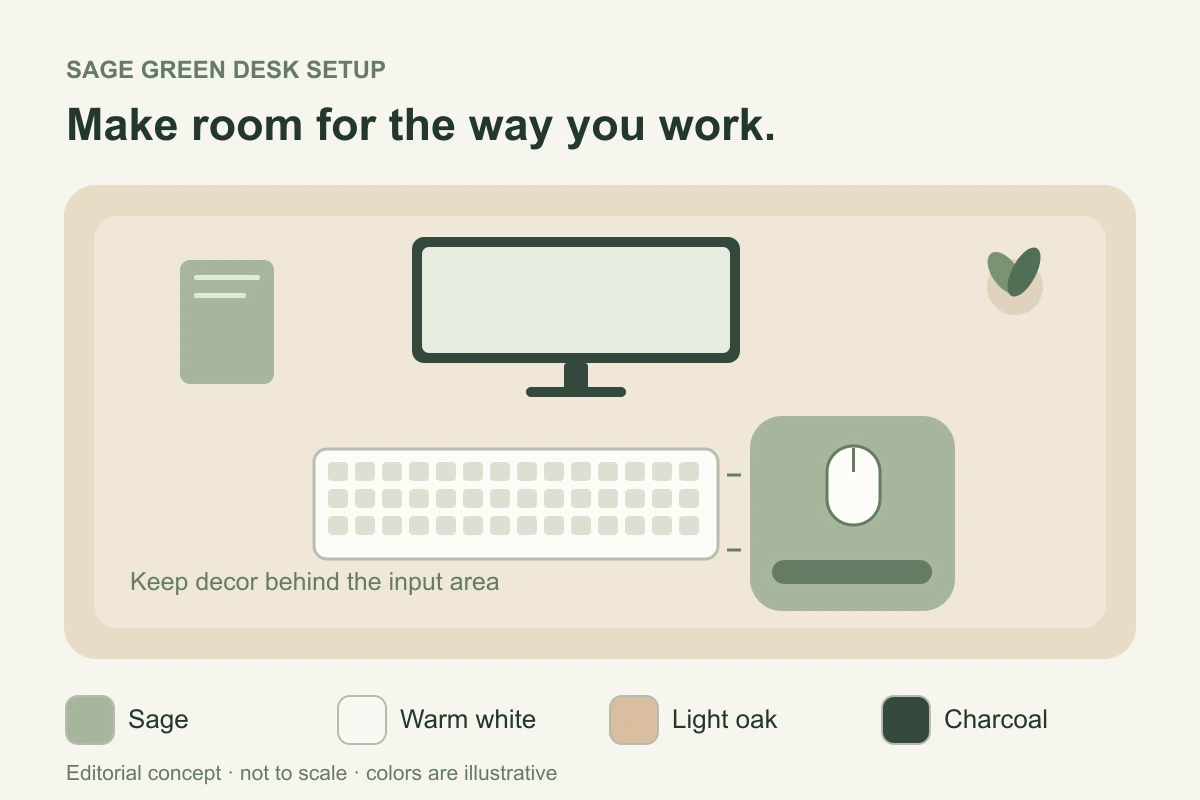
Build a sage green desk setup around the equipment you use, then add color. Place the keyboard and mouse, check your normal mouse movements, and reserve that space before choosing decor. Use a sage mouse pad or notebook as an accent alongside warm white, wood, or charcoal. Exact color matches and accessory fit require checking the individual items.
Key Takeaways
- Keep the mouse close to the keyboard; move decorative items out of its working area.
- Choose the layout around a compact keyboard, a full-size keyboard, or a laptop with separate input devices.
- Treat the three palettes below as starting points, with no promised mood or productivity effects.
- Compare the exact pad's footprint and usable tracking area before buying for a small desk.
Start with the space your mouse needs
Arrange your current equipment before ordering matching accessories. Put the keyboard in your usual working position and try a familiar task: selecting text, moving across a spreadsheet, or dragging windows. Observe where the mouse travels and what gets in the way. This is a personal layout check, not a standardized product test.
OSHA's pointer/mouse guidance recommends keeping the mouse close to the keyboard. It also identifies a keyboard without a number pad as one way to leave more room for the pointing device. A green pad pushed into a distant corner does not solve a reach problem.
Measure the clear area after positioning the keyboard. Compare that area with the pad's published outer dimensions and, where available, its usable tracking area. A raised rest occupies part of a pad's footprint. Use our mouse-pad placement guide for support and movement checks.
Three layouts to adapt to your equipment
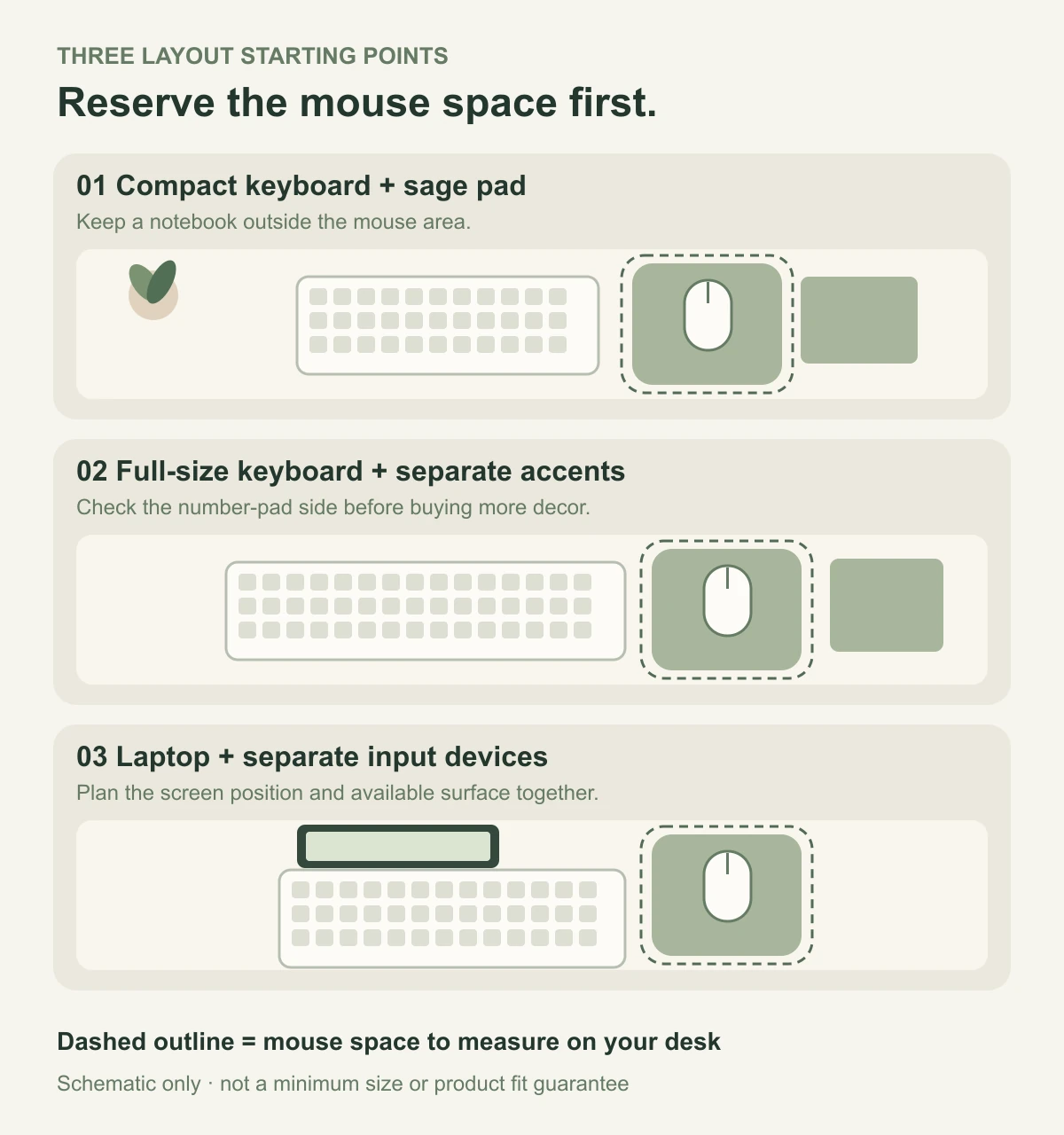
1. Compact keyboard, sage pad, warm-white accents
Use the sage pad as the main color accent beside a compact keyboard. Keep a notebook outside the mouse area and place a small organizer farther back. Start with the equipment you own; buying a smaller keyboard is only an option if its layout suits your work.
For this palette, pair a muted green accessory with warm white and a light wood tone. In the illustration, sage is a sample color, not a specification for a DEMON CHEST product. Check real product photographs and any available swatches when an exact match matters.
Fit check: use your normal pointer settings and complete a real task. If you repeatedly move the pad or hit its edge, reconsider the available movement space before adding another accessory.
2. Full-size keyboard, sage accents, charcoal details
Keep your full-size keyboard if you need the number pad. Check where the mouse lands beside that wider footprint. A notebook and pen tray can carry the green theme without requiring a large decorative mat beneath everything.
Our editorial palette pairs sage with charcoal equipment and an off-white background. It is a visual option, not a tested formula. Use a notebook, cable pouch, or another item you already need to repeat the color rather than filling the desk with matching objects.
Fit check: remove objects beside the number-pad end and test your mouse reach again. If space remains insufficient, review the desk or input-device arrangement rather than assuming a narrower mouse pad will resolve it.
3. Laptop, separate input devices, a small green accent
Plan the laptop display position together with a separate keyboard and mouse. HSE's workstation guidance recommends a separate keyboard and mouse for prolonged laptop use so the screen can be raised. Check that your work surface accommodates that arrangement before styling it.
A sage pad or notebook can provide the accent while a pouch keeps loose accessories together between sessions. At shared desks, you may prefer one green item that is easy to place and remove. Packing and storage suitability still depend on the specific item.
Fit check: set up the whole kit at the actual desk. Use the portable mouse-pad checklist if you move between workspaces; a small or travel label does not guarantee fit.
Compare the starting points
| Layout | Suggested color pairing | First thing to measure | Decor decision |
|---|---|---|---|
| Compact keyboard | Sage, warm white, light wood | Mouse space beside the keyboard | Keep a notebook outside the movement area |
| Full-size keyboard | Sage, charcoal, off-white | Mouse reach beside the number-pad end | Put organizers away from that side |
| Laptop with separate inputs | Sage plus existing device colors | Space for screen, keyboard, and mouse together | Use a removable accent for shared desks |
These are planning examples. The diagrams do not establish desk dimensions, ideal pad sizes, clinical outcomes, or a universal arrangement.
Choose accessories in a useful order
- Keep the equipment that serves your tasks. Note which keyboard keys and mouse movements you use before considering a replacement.
- Reserve the input area. Place the keyboard and mouse before the organizer, plant, notebook, or lamp base. OSHA's desk guidance identifies clutter as a cause of poor equipment placement and keeps frequently used devices in the primary work zone.
- Choose one green anchor. A pad, notebook, or organizer can establish the palette. Adding more matching pieces is optional.
- Check the individual product. Compare its dimensions, shape, surface, and care instructions. Color names do not establish matching shades, materials, or fit.
- Try the arrangement during ordinary work. Move decor that interferes with input devices or documents. Check chair, desk, and screen placement together using the desk setup guide.
Where a sage green mouse pad fits
The green and sage mouse-pad collection is the shopping starting point. This article explains how to arrange a workspace around that choice.
For an individual catalog example, the ErgoComfort Sage Green pad, ASIN B0GZ3382SH, is listed under that color name. Compare the actual listing, photographs, dimensions, and support shape with your equipment. The sample green in our diagrams is not a color-matching reference for this ASIN.
If you want broad surface coverage, first compare a desk mat, mouse pad, and separate rest. They serve different layout purposes. A coordinating color does not make the formats interchangeable.
Who this guide fits
This guide suits people coordinating a home office or shared workspace while preserving room for everyday computer tasks. It also suits a gradual refresh using existing furniture and equipment.
It does not provide a medical intervention, a measured productivity comparison, exact product color calibration, or a guarantee that a pictured arrangement fits a particular desk. If your input devices require broad movements, start with enough work surface rather than copying a compact illustration.
FAQ
What colors go with a sage green desk setup?
Warm white and light wood, or charcoal and off-white, are the editorial pairings used here. Compare them with your existing furniture and lighting. There is no required palette or promise of a psychological effect.
How do I make a small desk look coordinated?
Reserve the keyboard and mouse area first, then repeat sage in one or two useful items. Move organizers and decorative pieces out of the mouse path. Check actual equipment dimensions rather than relying on a photograph.
Do all sage green accessories match?
Do not assume they do. A shared color name does not establish identical shades across products. Compare photographs, specifications, and available swatches; the diagram colors are only illustrative.
Should I choose a green desk mat or a mouse pad?
Choose by the coverage and movement area you need. A desk mat covers a broader work area, while a mouse pad provides a dedicated surface. An integrated rest adds another shape and fit consideration; measure the particular product.
Is sage green better for focus or wrist comfort?
This article establishes neither effect. Choose the color as a preference, and review equipment placement and individual fit separately. Public workstation guidance does not endorse a color or certify these products.
Sources and Method
Workstation statements use the linked OSHA pointer/mouse and desk pages and HSE laptop guidance, checked on October 16, 2026. Those sources address equipment arrangement; they do not validate the palettes, product fit, or any brand-specific benefit.
The three layouts, palettes, and selection sequence are original editorial planning suggestions. The named product and ASIN are drawn from our current catalog, without a new laboratory test or independent review. AI-assisted diagrams were authored as vector graphics for this guide and are clearly labeled as schematic illustrations.
For more organization ideas, see our office desk accessories guide.